Icons
More than 1,500 icons by name, and how to add your own.
Wax comes with the Lucide icon set: more than 1,500 line icons. You use an icon by its name, such as
"shield", "wrench" or "map-pin".
Where icons go
local window = ui.Window({ title = "Icons", icon = "shapes", width = 300, height = 230 })

window:Button("Reload", function()
    ui.Notify("Reloading.", { icon = "refresh-cw" })
end, { icon = "refresh-cw" })

window:Icon("heart", { size = 32, color = ui.Theme().bad })

local status = window:StatusBar()
status:Set("All good", { kind = "good", icon = "check-circle" })| Place | How |
|---|---|
| A window's title bar | ui.Window({ icon = "shapes" }) |
| A page in the page list | window:Page("Home", { icon = "home" }) |
| A button | window:Button("Reload", fn, { icon = "refresh-cw" }) |
| On its own | window:Icon("heart") |
| A status bar | status:Set("All good", { icon = "check-circle" }) |
| A notification | ui.Notify("Saved.", { icon = "save" }) |
Find a name
Open the Icons page of the Wax panel. Type in the search box. Click an icon and a notification shows its name.
Every icon is also on the Icons page of this site, where a click copies the name.
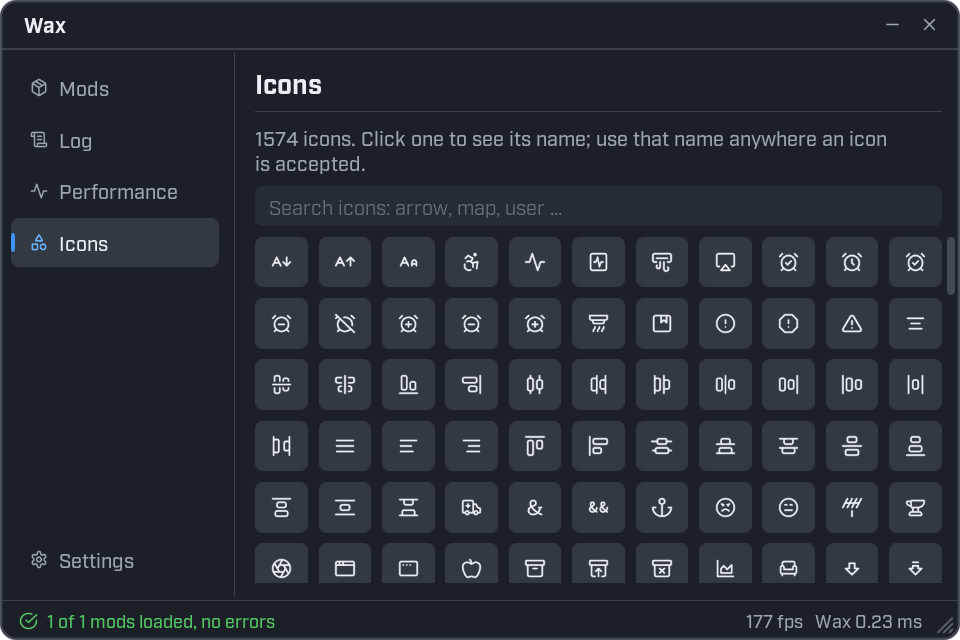
Look up names from code
print(ui.Icons.Has("map-pin"))      -- true
print(ui.Icons.Has("no-such-icon")) -- false

for i, name in ipairs(ui.Icons.Find("map", 5)) do
    print(i, name)
end

print(#ui.Icons.Names(), "icons in all")| Function | What it gives |
|---|---|
ui.Icons.Has(name) | true when there is an icon with that name. |
ui.Icons.Find(text, limit) | The names that contain the text. At most limit of them. An empty text gives every name. |
ui.Icons.Names() | Every icon name, sorted. |
If you use a name that does not exist, you get an error that suggests the closest name.
Add your own icon
Put a PNG file in your mod's folder and register it under a name.
ui.Icons.Register("my-logo", mod.dir .. "/logo.png")

local window = ui.Window({ title = "My mod", icon = "my-logo", width = 300, height = 140 })
window:Icon("my-logo", { size = 48 })mod.diris the path of your mod's folder, so this findslogo.pngnext toinit.lua.- Use a white shape on a see-through background. Wax colours the icon when it draws it, so a white icon takes the theme's colours.
- Your icon is there while your mod is loaded.
Every function is listed in the ui reference.